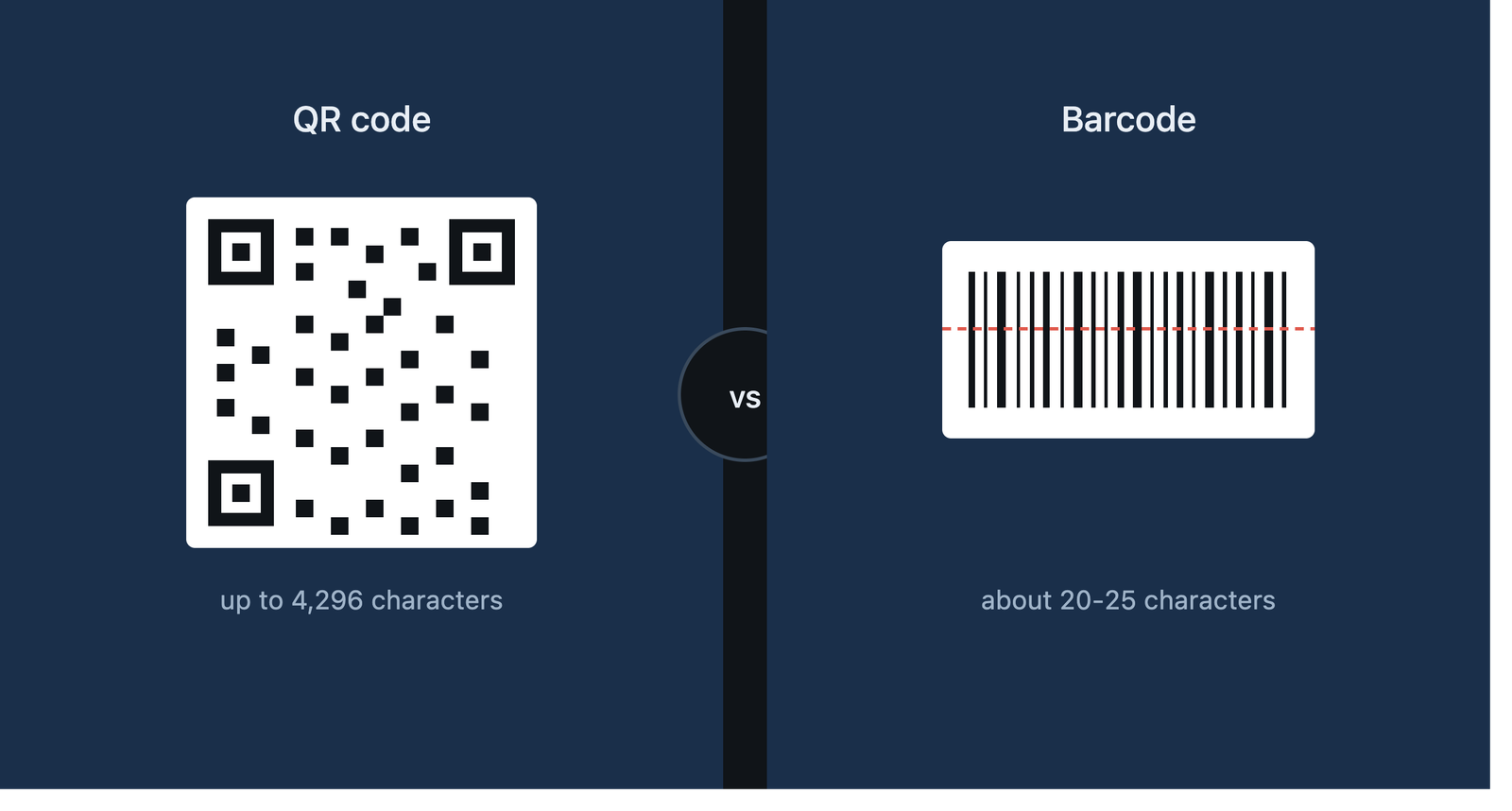
QR code vs barcode comparison for small businesses and marketers
QR code vs barcode: what's the difference and which one should you use
You've scanned both a thousand times without thinking about it. A barcode on a can of Coke. A QR code on a poster outside a cafe. They look like cousins. They're not built the same way, and picking the wrong one for your business costs you money.
I run photnine.online. It's a free tool for generating QR codes and barcodes, no signup, no watermark. I built it after getting tired of paid generators that lock basic features behind a subscription. Every week someone messages me asking which format they should use for a product launch, a menu, or a shop sticker. So I'm writing down the real answer here, not the Wikipedia version.
What a barcode actually is
A barcode is a line of black and white bars, side by side, different widths. A scanner shines a beam across it in one direction and reads the pattern. That's the whole trick. One direction, one line, one read.
Because of that single-direction limit, barcodes are called 1D codes. One-dimensional. The data lives in the width of the bars and the gaps between them, nothing else.
What can a barcode actually hold? Not much. Most standard formats (UPC-A, EAN-13, the ones you see in grocery stores) cap out around 12 to 13 digits. Code 128, a slightly newer format, stretches to about 20 to 25 characters if you push it. That's it. No URLs, no Wi-Fi passwords, no paragraphs of text.
So what's actually happening at checkout? The barcode isn't storing the price. It's storing a product ID, a reference number. The cashier's scanner reads that number, sends it to the store's database, and the database sends back the price and product name. The barcode is a pointer, not a container.
This matters because it explains why barcodes have stayed exactly the same for 50 years. The first UPC barcode scanned a pack of Wrigley's gum in Ohio in 1974. The format hasn't needed to change much since, because its job never changed: point to a database entry, fast.
What a QR code actually is
QR stands for Quick Response. A Japanese company called Denso Wave invented it in 1994, originally for tracking car parts on a factory floor in Toyota's supply chain. The engineer who designed it, Masahiro Hara, apparently got the idea from the black and white pattern on a Go board.
Unlike a barcode, a QR code is a square grid of black and white modules, read both left to right and top to bottom. That's why it's called 2D, two-dimensional. Reading in two directions instead of one is the entire reason it can pack in so much more data.
How much more? A QR code can hold up to 7,089 numeric characters, or up to 4,296 alphanumeric characters, or about 2,953 bytes of binary data. Compare that to 20 or 25 characters for a barcode. That's not a small upgrade. That's a different category of tool.
And because it holds real data, not just a reference number, a QR code doesn't need a database on the other end. Scan it and it can open a URL directly, connect your phone to Wi-Fi, prefill a UPI payment, save a contact card, or just show a block of plain text. All of that lives inside the pattern itself.
The technical differences, one by one
Storage capacity. Barcode: roughly 20-25 characters, numbers mostly. QR code: up to 4,296 characters, letters, numbers, symbols, even Kanji.
Scan direction. A barcode scanner needs the bars roughly aligned with its scan line. Tilt a barcode too far and it won't read. A QR code scans from almost any angle, upside down, sideways, doesn't matter, because the position markers in the three corners tell the scanner how to orient itself.
Damage tolerance. This one surprises people. A QR code has built-in error correction (Reed-Solomon error correction, if you want the technical name) and depending on the level you choose, it can still scan correctly with up to 30% of the code damaged, dirty, or covered by a logo. A barcode has none of that. Scratch it, smudge it, print it slightly crooked, and it often just fails.
Hardware needed. Barcodes were built for laser scanners, the kind you see at a supermarket till. QR codes were built for camera-based scanning, which is exactly what every smartphone has in your pocket right now.
Print size. A barcode can be printed very small and very long (think the strip on a pill bottle). A QR code needs to be roughly square and has a minimum size below which phone cameras struggle to focus on it, usually around 2x2 cm for close-range scanning.
Speed at checkout. Here's where barcodes still win. For a cashier scanning 40 items a minute with a dedicated laser scanner, a barcode is faster and the hardware is cheaper to deploy at scale. QR codes are built for a different job: a customer with a phone, not a cashier with a scanner gun.
When a barcode is the right call
Retail checkout. Inventory tracking. Warehouse logistics. Basically anything where your business already runs on a point-of-sale system built around UPC or EAN standards.
If you're stocking a kirana store or running a warehouse and every item needs a fast price lookup, don't overthink it. Barcodes are the standard for a reason: cheap scanners, decades of infrastructure, and a format every POS system in the world already understands.
I'd also add: if you're printing thousands of small labels where space is tight (a single pill, a small screw, a cable), a barcode's narrow strip fits where a QR code's square shape won't.
When a QR code is the right call
Anything where the customer scans it themselves, with their own phone. That's the line. Marketing material, restaurant menus, business cards, product packaging linking to a video, event tickets, UPI payment stickers at a shop counter, Wi-Fi sharing at a cafe, attendance sheets, feedback forms.
A friend of mine runs a small chai stall near Laxmi Nagar. He printed a UPI QR code on a laminated card, taped it to the counter. No POS system, no card machine, just a square of black and white squares that takes payment in 3 seconds. That's the whole value of a QR code in one example: zero infrastructure, works with a phone the customer already owns.
Restaurants figured this out fast during 2020 and 2021. A QR code on the table replaced a laminated menu, cost nothing to update when prices changed, and didn't need anyone to touch a shared surface. That habit stuck. Most restaurants I walk into in Delhi now still have a QR code taped somewhere near the table.
Static vs dynamic QR codes: the detail most people skip
There are two kinds of QR codes and this trips people up constantly.
A static QR code has the data baked directly into the pattern. Scan it in 5 years, it still points to the exact same thing. Free forever, no expiry, but you can't edit it once it's printed. Change your URL, and the old QR code is dead.
A dynamic QR code points to a short redirect URL that you control on the backend. Scan the QR code, it hits your server, your server sends the phone wherever you want, right now. Change the destination anytime without reprinting the code. The catch: if you stop paying for that redirect service or let the domain lapse, every QR code you've ever printed with it stops working. I've seen businesses get burned by this exact thing, a QR code on 500 printed flyers, and the service behind it shut down 8 months later.
For most small businesses I'd say: use static QR codes for anything permanent (a fixed UPI ID, a fixed phone number). Use dynamic only if you genuinely need to update the destination later and you're confident the redirect service will still exist next year.
Can you generate both for free
Yes. On photnine.online you type your data, pick QR code or barcode, download it as an image. No account, no watermark, no daily limit. I built it specifically for small business owners and students who don't want to pay $10 a month for something that should be free.
If you're testing which format works for your use case before committing to anything paid, that's exactly what it's for.
A quick side-by-side summary
- Data type: Barcode: numbers only. QR code: text, numbers, URLs, symbols.
- Capacity: Barcode: ~25 characters. QR code: up to 4,296 characters.
- Scan angle: Barcode: needs alignment. QR code: scans from any angle.
- Damage tolerance: Barcode: low. QR code: up to 30% damage with error correction.
- Best hardware: Barcode: laser scanner. QR code: phone camera.
- Best use: Barcode: retail checkout, inventory. QR code: marketing, payments, self-service scanning.
FAQ
Is a QR code better than a barcode?
Depends on the job. A QR code stores more data and works with any phone camera. A barcode is cheaper to print small and remains the retail standard for inventory systems already built around it.
Can a QR code replace a barcode in a store?
Technically, yes. Practically, most point-of-sale systems worldwide are built around barcode standards like UPC and EAN. Switching means rebuilding that infrastructure, so most retailers keep barcodes for inventory and add QR codes separately for marketing or payments.
Do QR codes expire?
A static QR code never expires, the data sits inside the pattern permanently. A dynamic QR code can stop working if the redirect service behind it shuts down or the domain lapses.
Which one holds more data?
QR code, by a wide margin: up to 4,296 alphanumeric characters versus roughly 20-25 for a standard 1D barcode.
Can I scan a QR code without downloading an app?
Yes. Every modern iPhone and Android phone reads QR codes directly through the default camera app, no separate app needed.
Why do some QR codes have a logo in the middle?
Because of error correction. QR codes are built to still scan correctly even with up to 30% of the pattern covered or damaged, so a small logo placed in the center doesn't break the scan.
Is it free to create a QR code for my business?
Yes, for a static QR code with basic data (a UPI ID, a URL, a phone number), you can generate it for free on tools like photnine.online with no ongoing cost.
Which one should I print on my product packaging?
If the packaging already needs a barcode for retail inventory, keep the barcode. Add a QR code separately if you want customers to scan it themselves for a video, a review page, or a warranty registration.